

A complete UI/UX design for an event planning application that helps organizers manage every aspect of their events — from scheduling and venue selection to guest lists and vendor coordination. The design prioritizes visual clarity and quick actions, letting planners manage complex events without getting lost in details. Every screen was designed in Figma with real event planning workflows in mind.
Personal Project
Figma / UI Design / UX Research / Wireframing / Prototyping
Design an intuitive event management interface that makes planning, organizing, and coordinating events effortless for organizers of all experience levels.
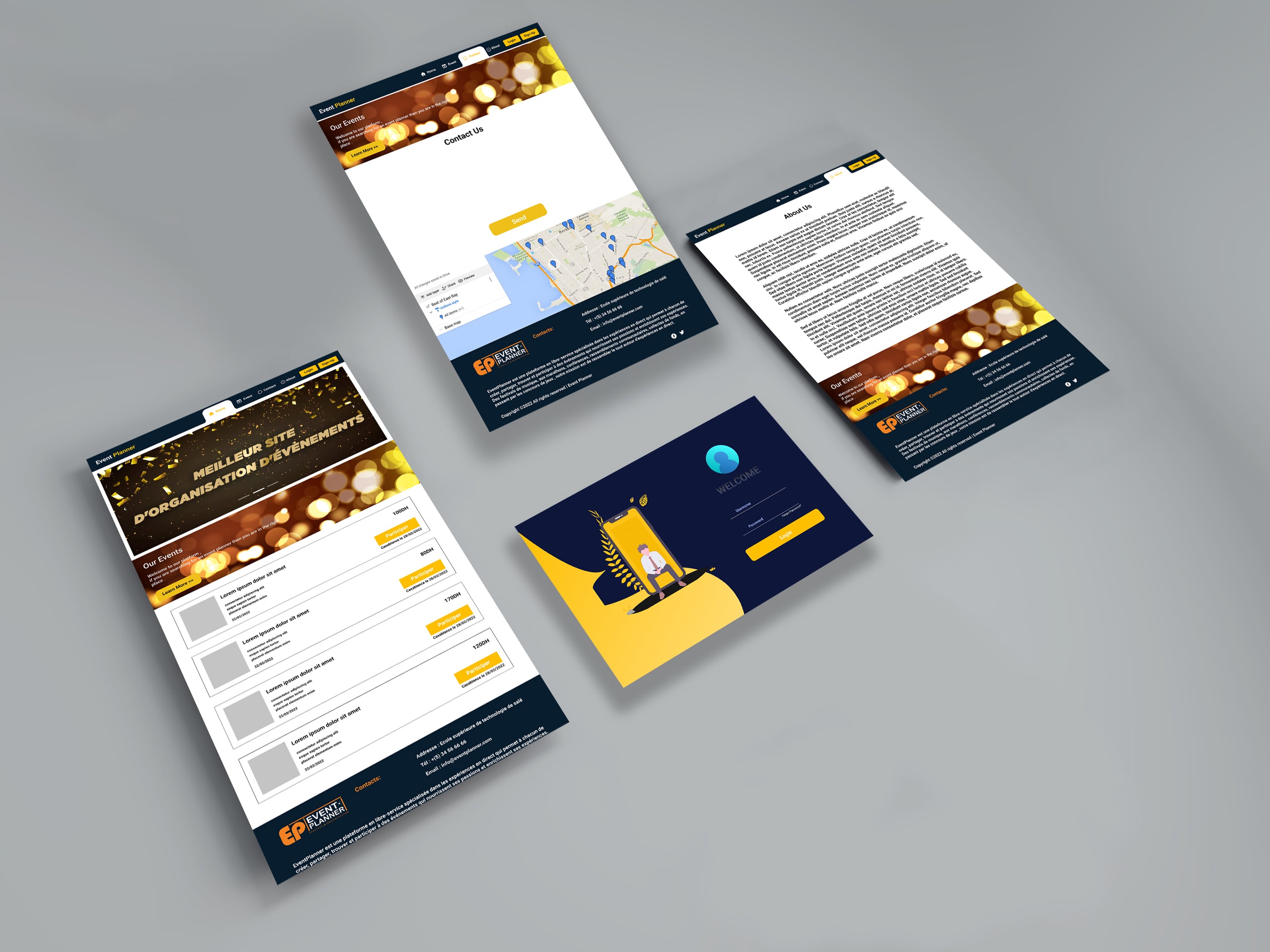
Events involve dozens of moving parts — schedules, budgets, vendors, guests, venues, and timelines. Designing an interface that organizes all this information logically without overwhelming the planner required careful information architecture and progressive disclosure.
Event timelines are visual and dynamic — tasks overlap, deadlines shift, and dependencies change. Designing a timeline view that's both informative and interactive, while working across different screen sizes, was one of the trickiest UX challenges.
Event planning is collaborative — organizers, vendors, and clients all need different views of the same event. Designing role-specific interfaces that show relevant information to each user type while maintaining design consistency was key.
The design breaks complex event planning into manageable sections — each with its own focused view. Planners can drill into details without losing sight of the bigger picture.
Interactive timeline views make scheduling intuitive. Drag-and-drop task management, color-coded categories, and clear deadline indicators keep everything on track at a glance.
A complete Figma prototype with interactive flows, a documented component library, and detailed specs makes the design ready for handoff. Developers can build with confidence knowing every edge case is covered.